






Craftcation Schedule
There are two Types of Workshops at Craftcation. How you add sessions to your schedule depends on the workshop type.
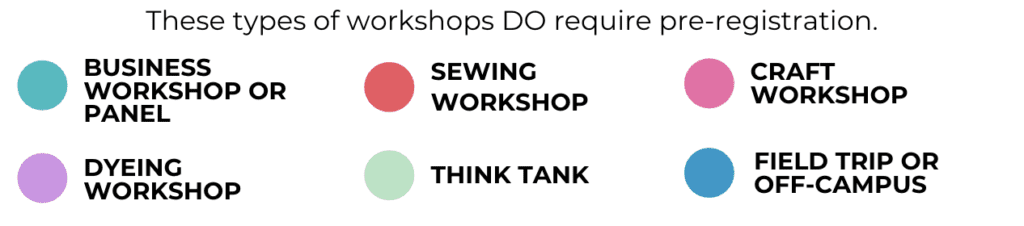
Pre-Registration Workshops (Most Craft Workshops)
These workshops have limited space, so advance registration is required. Prior to February 28, workshops that require pre-registration are frozen and marked with a snowflake icon. Once pre-registration opens on February 28, you will be able to register for these workshops. Spaces fill quickly — we recommend you review the schedule ahead of time, choose your top picks, and have backups ready.
Pre-registration opens: February 28, 2026 at 10:00 AM PT
First-come, first-served. You’ll be able to add these workshops to your schedule starting at 10 AM sharp.
These do not require pre-registration — Craftcation attendees can just show up! You can add these sessions to your schedule now once you’re logged into Sched.
This category includes:
Events
Casual Crafts
Select workshops and activities
We’re using Sched for the full workshop schedule and registration.
All registered attendees will receive an email invite to create their Sched account — keep an eye out. If you don’t see it, you can use the password reset link here.
Once logged in, you can start adding non–pre-registration sessions to your schedule now.
Workshops that require pre-registration are currently locked and will open February 28 at 10 AM PT. You’ll register for those using the same interface — and yes, popular classes fill up fast, so mark your calendar.
How Sched works:
Click the circle next to a session to add it to your schedule; click again to remove it.
If a session is full, you’ll be added to the waitlist and can view your position on the session page.
If you’re moved off the waitlist and into a session, you’ll receive an email (it may take a bit).
If you registered for a backup session, please drop it so another attendee can grab that spot.
Scroll horizontally (click + drag) to view the full schedule table.
Switch schedule layouts using the “View” menu in the top right to find the format that works best for you.
Every workshop, presenter name, and event title is clickable for full details.
When you arrive at Craftcation head up the main Marriott stairs where you’ll find the registration area. This is where you’ll pick up your bedge, gift bag and conference program.
Registration Hours:
Wednesday April 8, 2026: 10am-5pm
Thursday April 9, 2026: 9am-4pm
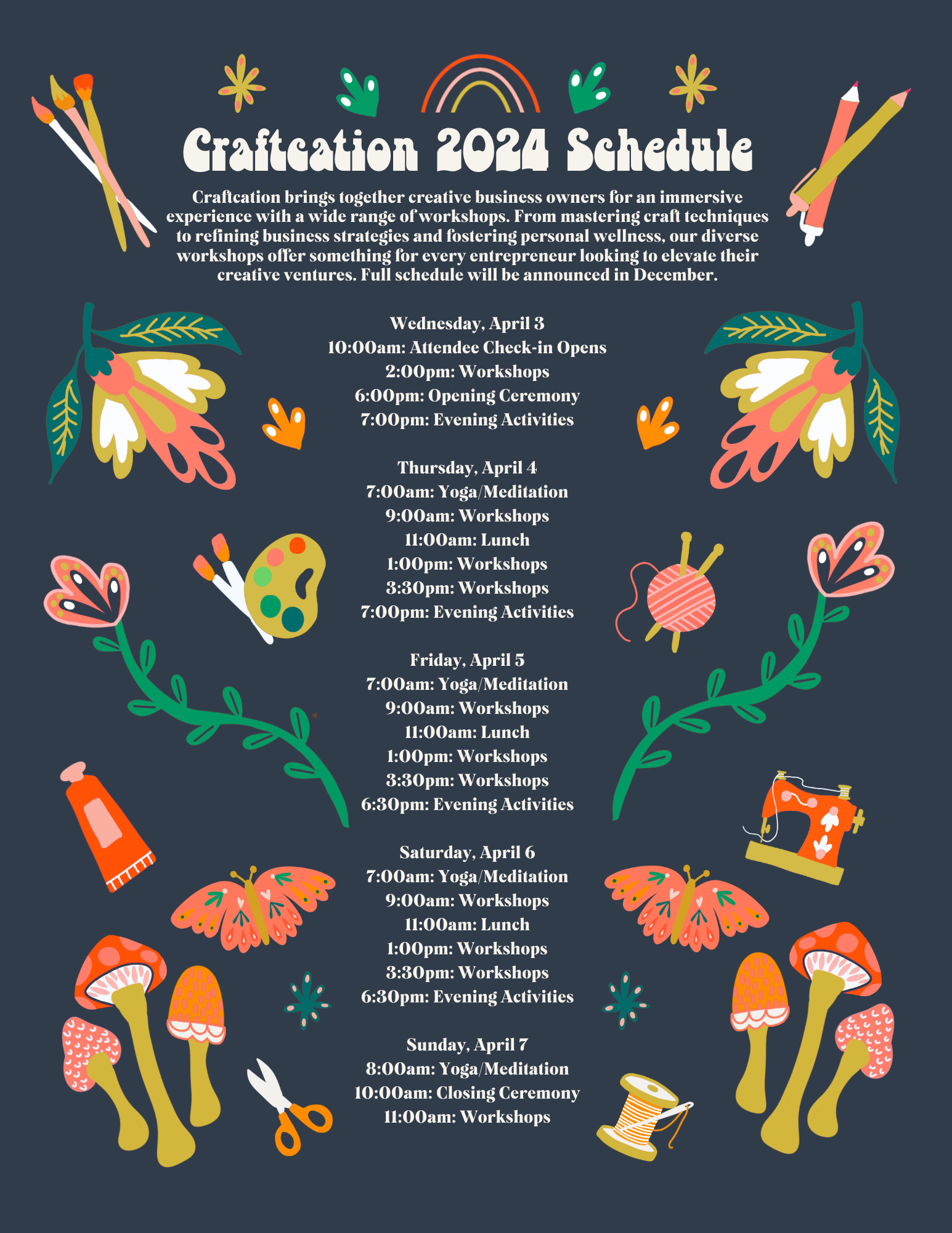
The Craftcation 2026 schedule will be released in late 2025.
In the meantime you can check out our 2025 schedule to get an idea of how the days are scheduled.
Schedule Navigation tips:
Click and drag to scroll horizontally so you can view the full schedule table.
There are several different ways to view the schedule, you can switch the view by selecting “view” in the top right corner of the schedule and choose whichever one works best for you!
Every session/workshop, presenter name or special event is clickable — click any item to get full details.
Session Repeats & Multi Parts
**Schedule is subject to change**
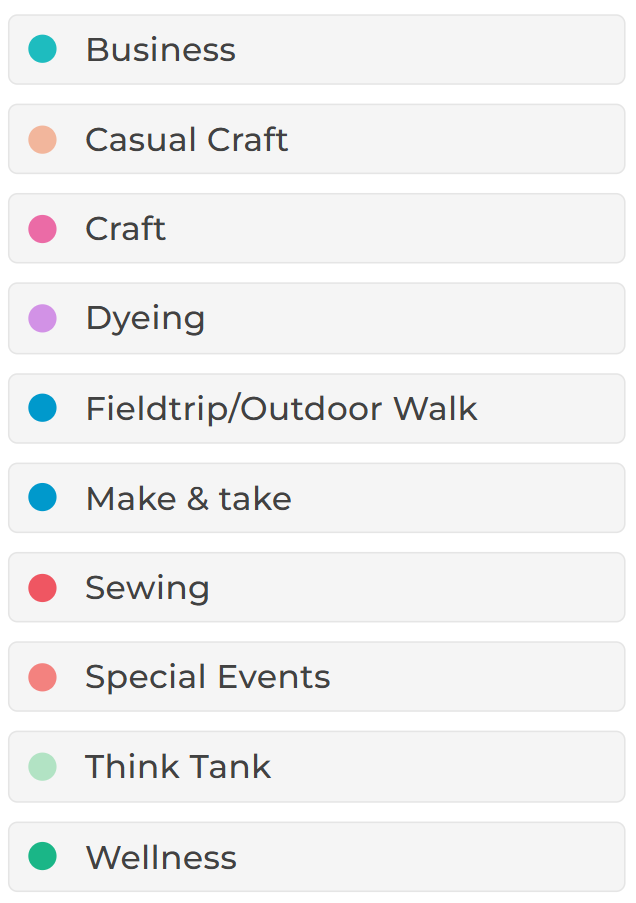
LEGEND:
workshop registration instructions and details:
This year we are using Sched for workshop registration.
We’ll be sending invites to Sched to all registered attendees soon- keep an eye on your email!
Once you have signed up in Sched you’ll be able to add any sessions to your schedule that do not require advance registration.
Sessions that do require registration are currently “frozen” in Sched- you won’t be able to add them yet.
Class registration opens: February 28 at 10am PT. At that time you’ll use the same Sched interface to register for those classes. Mark your calendar- classes fill up fast!
Click and drag to scroll left and right in the schedule. Be sure you are scrolling all the way to the right and all the way down to see the full schedule.
Get our mostly monthly emails featuring event updates, secret deals, pep talks and inspiration to make every day awesome.